The information on this page refers to License Statistics v6Agent v26.25 0 or newer, which added discontinued support for self-signed certificatesWindows 10. If you are using a version previous to v6v26.250, see documentation for previous versions. |
This section describes the installation and configuration of the License Statistics Agent add-on tool. Also see Reviewing and managing License Statistics Agents for information on viewing a report of all agents in use.
...
System requirements
Installation of the License Statistics Agent has the following requirements:
Supported platforms
| Windows 64-bit |
|---|
|
Hardware requirements
| Hardware | Minimum |
|---|---|
| CPU | 2 core |
| RAM | 1 GB |
| Hard Drive | 1 GB |
...
| Configuration setting | Required | Description |
|---|---|---|
| SSL Verification | Yes | Settings include the following.
|
| SSL Truststore | No | Truststore file to be used for custom certificate verification. |
| SSL Password | No | Password to the truststore file to be used for custom certificate verification. |
| Flags | No | Flags define custom options for Agent execution and should not be changed unless instructed to do so by X-Formation Support. |
...
Starting and stopping the service
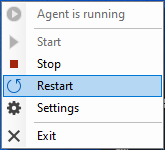
You can also use the Agent Manager to:
- Start/stop the service
- Restart the service
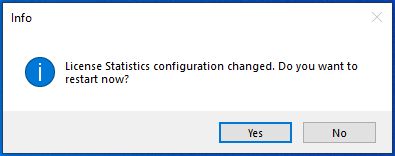
If you make changes to the configuration when the service is running, you will see a message that asks whether you want to restart License Statistics. You must restart License Statistics for any changes to the configuration to take effect.
...
You can see the Agent's current service status at the top of the Agent Manager (in the illustration below, the service is
...
"stopped").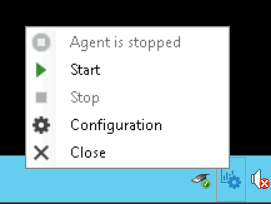
Uninstalling License Statistics Agent
...