| This page refers to License Statistics v6.25 and newer, which reports usage for both main features and products when using Feature Collections for CimLM and ELC license managers. If you are using an earlier version, please refer to the documentation for earlier versions. |
This feature is available with Licensing Model 2019 and Licensing Model 2025 only.
Feature Collections are no longer available for Autodesk; however, any existing Autodesk Collections data will be retained.
Feature Collections let you track feature usage for a limited number of license managers, as described in the following table.
| License Manager | Feature Collections by | Supported | Use case |
|---|---|---|---|
| Autodesk | Product |  | Features are combined into packages and sold as a single products |
| Dassault | Authorization Items |  | Features have authorization items, which categorize "groups" to control which features are accessible and the number of licenses each group can consume |
| ELC | Product | | Features of different products may have identical names |
| CimLM | Product | | Features of different products may have identical names |
Enabling Collections
By default, features do not belong to a Collection. You can enable Collections by toggling this option on in the Gathering settings when creating/editing the license server.

Collections can be enabled/disabled at any time; however, when Collections is disabled, the data for those Collections will not be collected.
Viewing statistics for Feature Collections
When you enable Collections for a license server, features for that license server will be individually reported, based on their Collection name. The Collection name can be viewed in reports that include information for Features; however, note that this column is hidden by default.


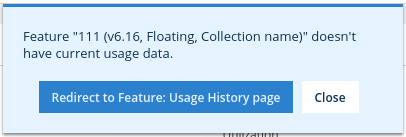
The Collection name is also shown in parentheses following the version and type in feature selectors, labels, and notifications; for example:
Feature Collections by Authorization Item
Dassault license server output can be configured by an administrator to define "authorization items" that control feature usage. Administrators can set authorization items to values that specify which "groups" (for example, user groups, departments, countries, etc.) can access a particular feature and how many of the feature's total licenses each of those groups may consume.
When Collections is enabled for a Dassault license server, License Statistics will monitor and report on the feature as usual, and if authorization item information is available, License Statistics will also report usage for each defined group separately to indicate how many licenses of the total usage each of the groups accounts for.
The Collections will contain information about user licenses, total available licenses, and user-host sessions that are available on all reports, in the same manner as any other feature. However, the statistics will not contain denials, as this information is available only for the entire feature.
Example
For example, say you have a feature (F1) with a total of 100 licenses. An authorization item may be defined to limit license usage according to country; for example:
- USA can consume up to 50 licenses
- Poland can consume up to 30 licenses
- Germany can consume up to 20 licenses
On License Statistics reports, the feature usage will be separated according to each authorization item's usage; for example:
- F1: 70 of 100 licenses in use
- F1 - USA: 45 of 50 in use
- F1 - Poland: 15 of 30 in use
- F1 - Germany: 10 of 20 in use
Feature Collections by Product
Enabling Feature Collections for license servers that have the same feature included in multiple products lets you gather more meaningful statistics for the identically named features. Using Collections separates feature usage reporting by product, rather than reporting all feature usage together.
Example
For example, say you have one product (Product A) that contains features F1 and F2, and another product (Product B) that contains features F1 and F3.
Without Collections enabled, usage is simply reported by feature, without accounting for which package the features are part of; for example:
- F1
- F2
- F3
However, with Collections enabled, reports will include usage data for each individual package/feature combination in addition to the total usage data for each feature; for example:
- F1
- F2
- F3
- Product A/F1
- Product A/F2
- Product B/F1
- Product B/F3