As of April 30, 2026, we have discontinued the deprecated Licensing Model 2013. As a result:
- It will not be possible to renew your License Statistics maintenance based on Licensing Model 2013 if your maintenance ends after April 30, 2026.
- We will continue to provide support for Licensing Model 2013 until the end of your existing maintenance period.
- We are offering a free transition to our Licensing Model 2025 until the end of your existing maintenance period.
- After your current maintenance period has ended, we will offer a special price for your Licensing Model 2025 subscription when you renew your maintenance.
See License Transition for information about transitioning from Licensing Model 2013 to a newer license model.
The Licensing page under the Administration section is divided into three tabs:
| Contains gauge charts that show current usage of your License Statistics license | |
| History | Contains reports that show historical usage of your License Statistics license |
| Management | Contains options for managing your License Statistics license, including activation |
Using the License Usage and History pages for Licensing Model 2013 is described below. The Management tab is the same for all licensing models; see License Management for information on using this tab.
A panel at the top of the Licensing page shows the usage values that our sales department needs in order for you to transition to Licensing Model 2025.

Usage
To see license usage information, click the Usage tab at the top of the Licensing page.
The Usage tab includes information for Users, Hosts, License Servers and Harvesting agents. When license usage is within your license limits, the gauge charts will be green, as illustrated below.

History
To see license usage history information, click the History tab at the top of the Licensing page.
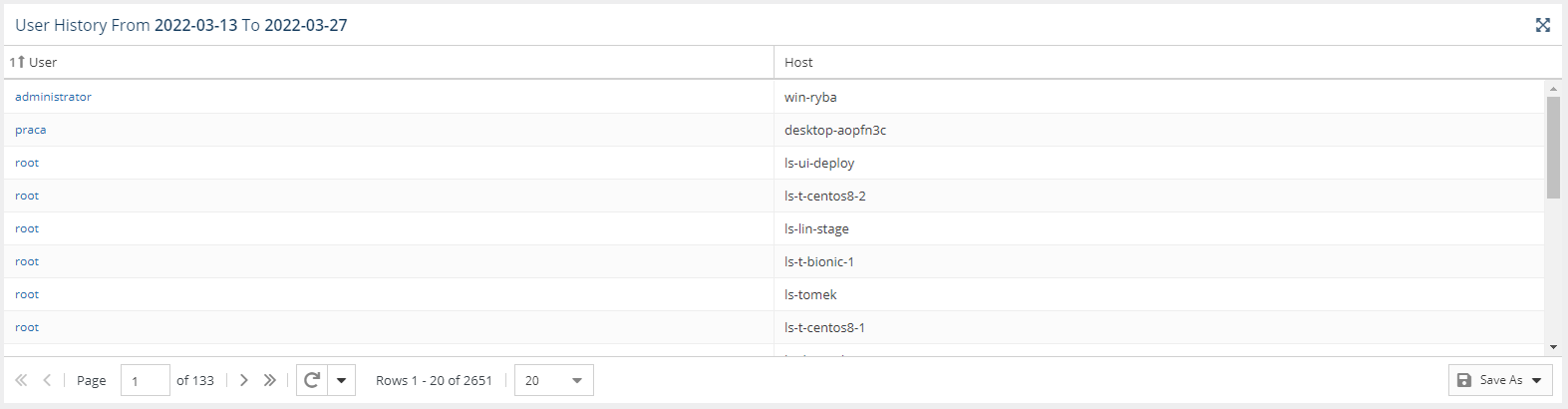
The History tab contains a License Usage History chart and User History and Host History grids.
License Usage History chart
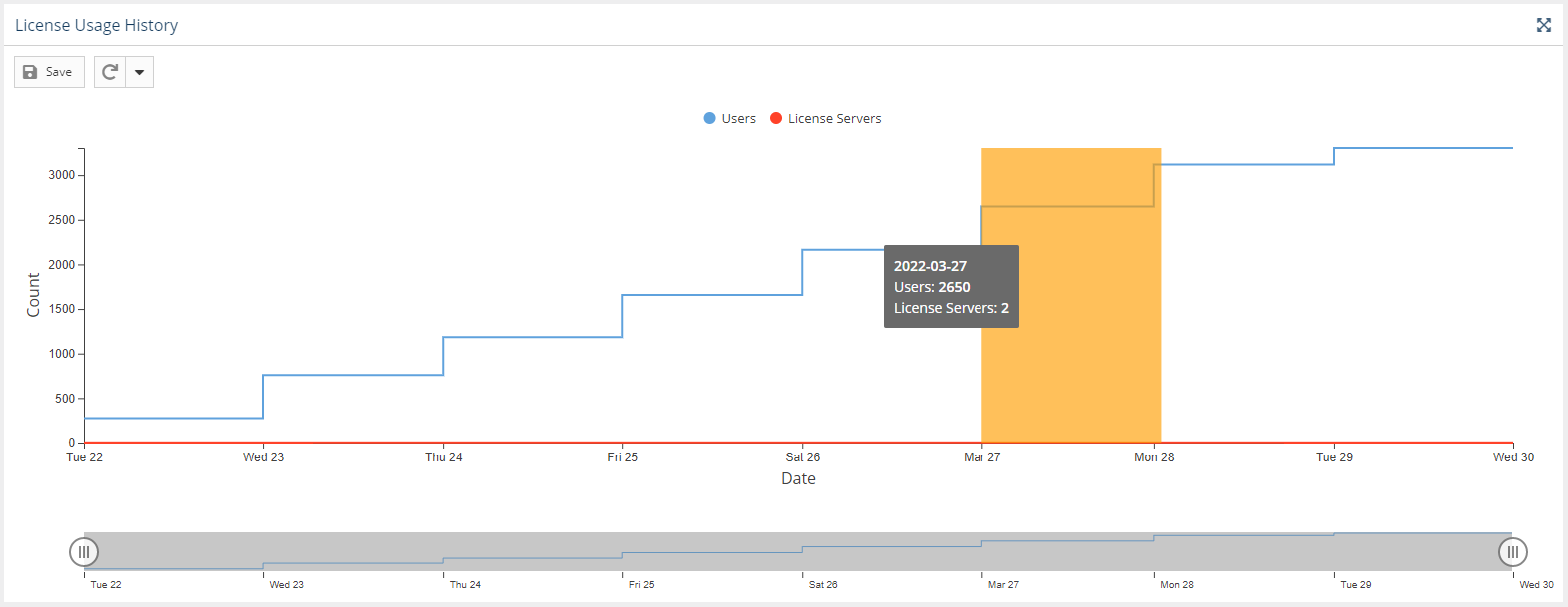
The License Usage History chart reports historical usage of the License Statistics license.
The chart shows Users, Hosts, License Servers, and Harvesting Agents:

Data is shown up through the current day by default. To see details for a specific time period, click on the end-date for the time period in the chart. (Days will be highlighted as you move your mouse over the chart.)
The License Usage History chart includes the following information.
- Number of users or user-hosts for the last 14 days
- Number of maximum concurrent license servers in each day
User History grid
The User History grid displays license usage history up to the date selected in the License Usage History chart (current date by default).
A User History grid with user-host pairs displays license usage history for 14 days (by default) prior to the selected date (or current date if none is selected) up through the selected date.