...
The information on this page refers to License Statistics v7.4, which added the ability to specify a bind address.. If you are using a version previous to v7.4, see documentation for previous versions. |
| Info |
|---|
License Statistics Manager is available for Windows installations only. |
...
The Database settings let you configure the License Statistics database.
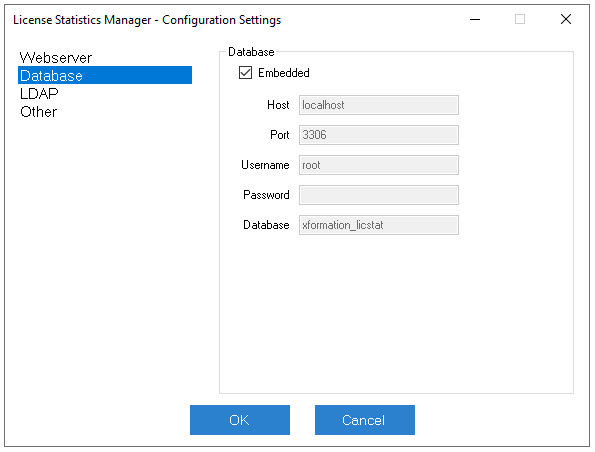

The Database settings include the following.
| Field | Required | Description |
|---|---|---|
| Embedded | No | Check this box to use an embedded MySQL server. Leave this box unchecked if using an external MySQL server. If you use an embedded MySQL server, the database will be created automatically the first time you run License Statistics, and the default values for all fields except "Password" will be filled in automatically. If you use an external MySQL server, the database must be created manually before running License Statistics, and you must fill in all required fields. |
| Host | Yes | To use an external MySQL server, specify the server name or IP address. |
| Port | Yes | To use an external MySQL server, specify the server port. |
| Username | Yes | Username for the account created in the License Statistics database. |
| Password | No | Password for the account created in the License Statistics database. |
| Database | Yes | Name of License Statistics database. |
| Verify | No | Forces certificate verification. Available for external database only. |
| Keystore | No | Path to keystore with loaded certificate and its private key. |
| Password | No | Password to keystore. |
Anchor config_LDAP config_LDAP
LDAP settings
| config_LDAP | |
| config_LDAP |
...