...
The information on this page refers to License Statistics v6v7.22 2 and newer, which improved the labels used in the General Information pane. modified the UI for working with License Statistics user reports. If you are using a version older than 6.22previous to v7.2, see documentation for previous versions. |
This page gives details about the general usage of user reports, including how to use the General Information area at the top of reports; viewing general information, editing user details, and viewing cloud user information; and editing user details.
General user information
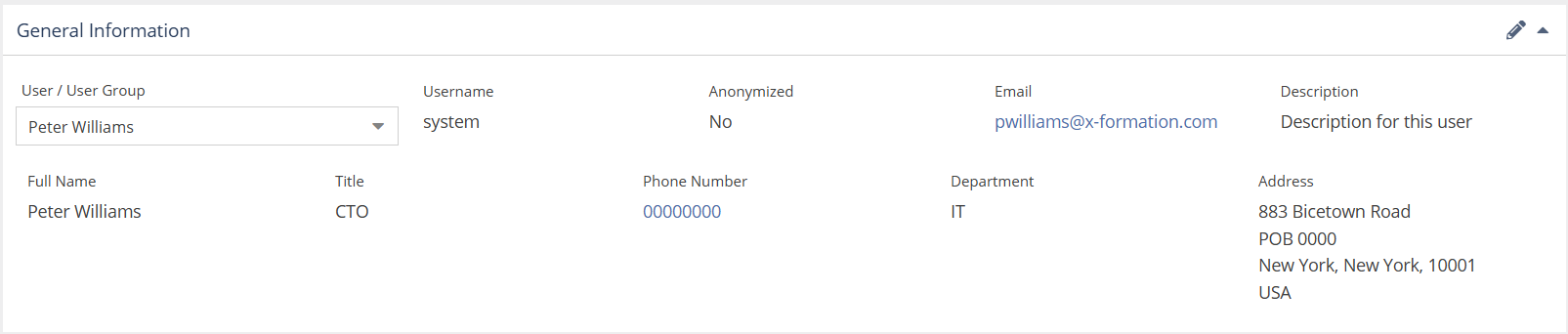
All user pages include a General Information an area at the top of the page that shows general information about the selected user, including the user's name and other identifying information that has been set for the user, such as the Display Name, Description, and User Directory details.
Editing user details
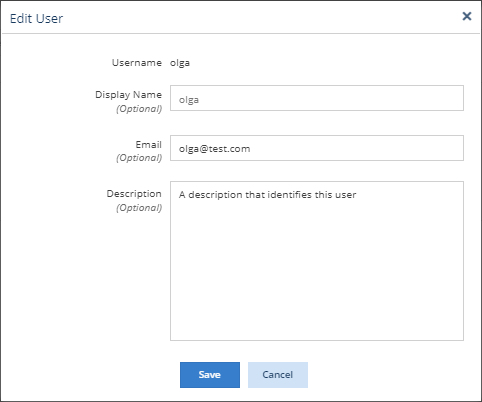
You can edit the details that help to identify individual users, and LDAP details. including display name, email address, and description, as needed. Existing email and description details are initially imported from User Directory. Manually entered details override the User Directory details.
To edit a user's details:
- Select the user from the pick list in the General Information area.
- Click the edit icon on the top right of the General Information area.

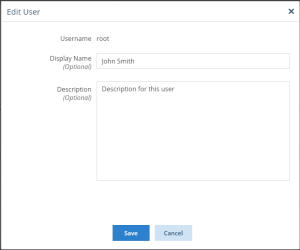
The Edit User dialog opens. - Edit the user's details as needed. Note that all entries are optional.
- Click Save to save your changes.
Anchor user_reports_cloud_users user_reports_cloud_users
Matching usernames for cloud users
| user_reports_cloud_users | |
| user_reports_cloud_users |
| Warning |
|---|
Due to Autodesk introducing stricter technical measures to actively prevent third-party access to their cloud license data, we are currently unable to provide Autodesk cloud-based license monitoring via their web portal at manage.autodesk.com. (See Autodesk usage monitoring for more details.) Existing Autodesk cloud-based data will be retained; however, until we reintroduce some cloud-based data collection capabilities in a future License Statistics release, new or changed data for Autodesk cloud-based license information will not be collected. |
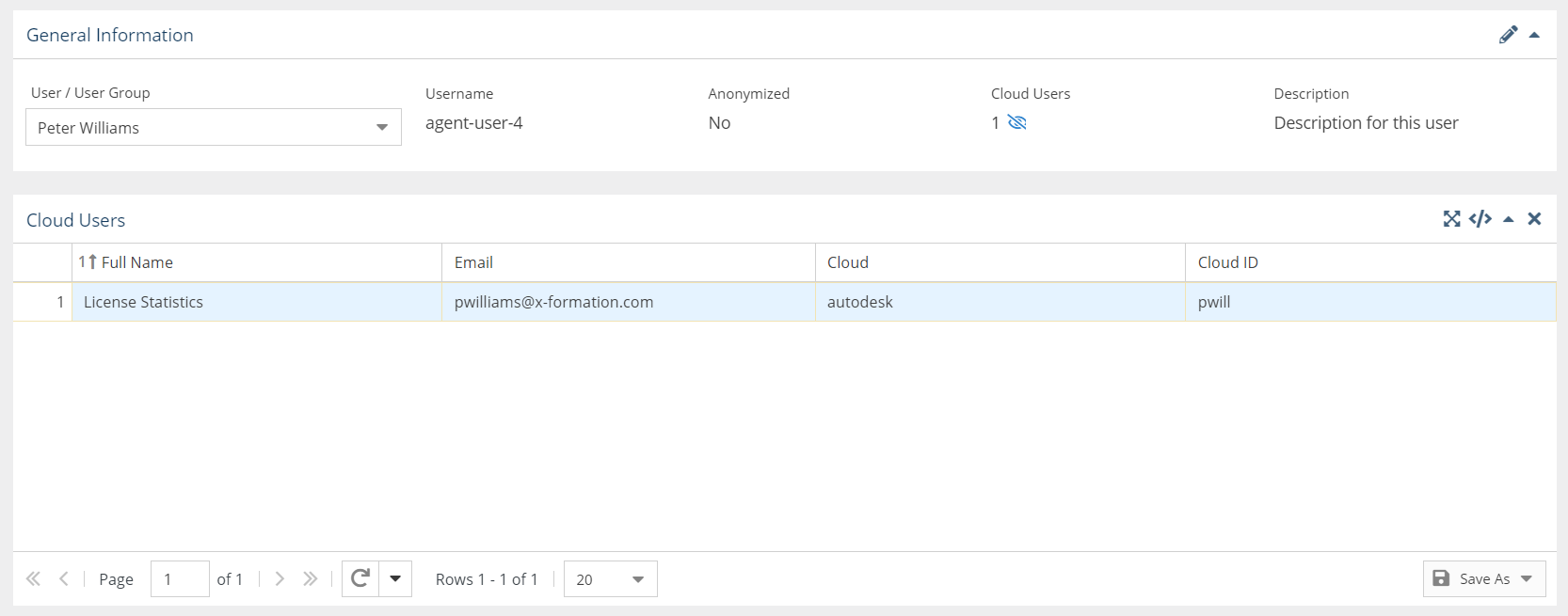
You can also view the number and details for all cloud users (for example, for Autodesk usage monitoring) that match usernames on the host for the selected user. There may be more than a single matching username on both the host side and the cloud side; for example, a single username (e.g., "administrator") can use multiple cloud accounts and a single cloud account can be associated with multiple usernames (e.g., "administrator," "system," and "agent-user-4").
...
When toggled on, a "Cloud Users" grid appears below the General Information area. For example, the following illustration shows details for one matching cloud user.
Editing user details
You can edit details for the selected user by clicking the edit icon on the top right of the General Information area.