...
- Log into your Autodesk account (manage.autodesk.com).
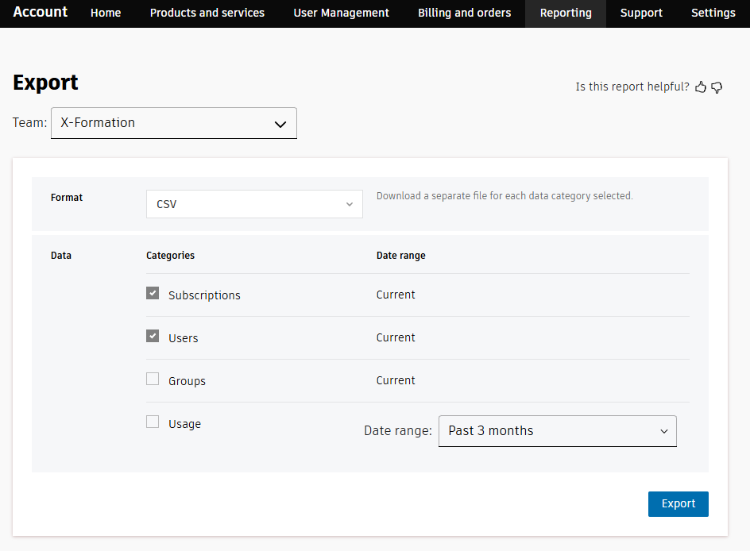
- Go to the Reporting page.
- Export data from the server in CSV format, and enable the Subscriptions and Users data categories. (Other options are not used for metadata upload to License Statistics.)
- Go to the License Servers page, found under the Administration section in the left navigation menu.
- Add or edit the Autodesk license server, as applicable. If you are unfamiliar with managing license servers, see Adding and editing license servers for more details.
- Using the Metadata tab in the Add/Edit License Server page, locate and upload the archive file you exported.
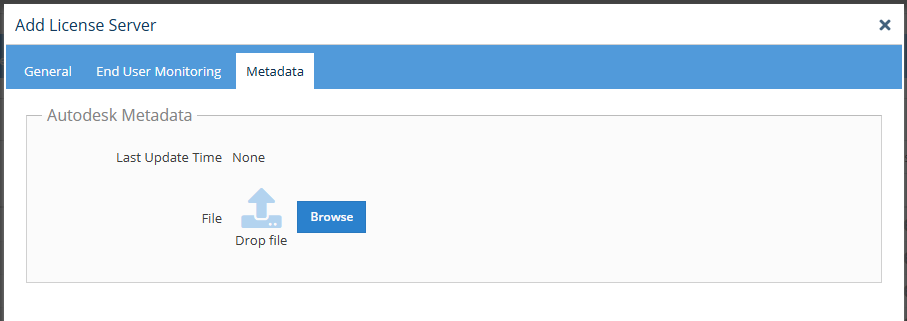
License Statistics will automatically include the uploaded metadata in all future reporting. - If the server configuration changes (for example, there are new rules or licenses have changed), repeat the above steps to re-upload the metadata. The last time the file was uploaded will be shown in the Metadata tab.